Drivers overview
A driver is a named cause your KPIs can move for — Payment Gateway Health, Delivery Area & Ops Coverage, App & Checkout Frontend Health.
A pattern can tell you that Completed Checkouts dropped on Android yesterday. It cannot tell you why. A driver is where that knowledge lives: the hypotheses worth testing, the tools to test each one with, and the evidence that would confirm or rule it out.
Drivers live under Model → Drivers, scoped to one use case.
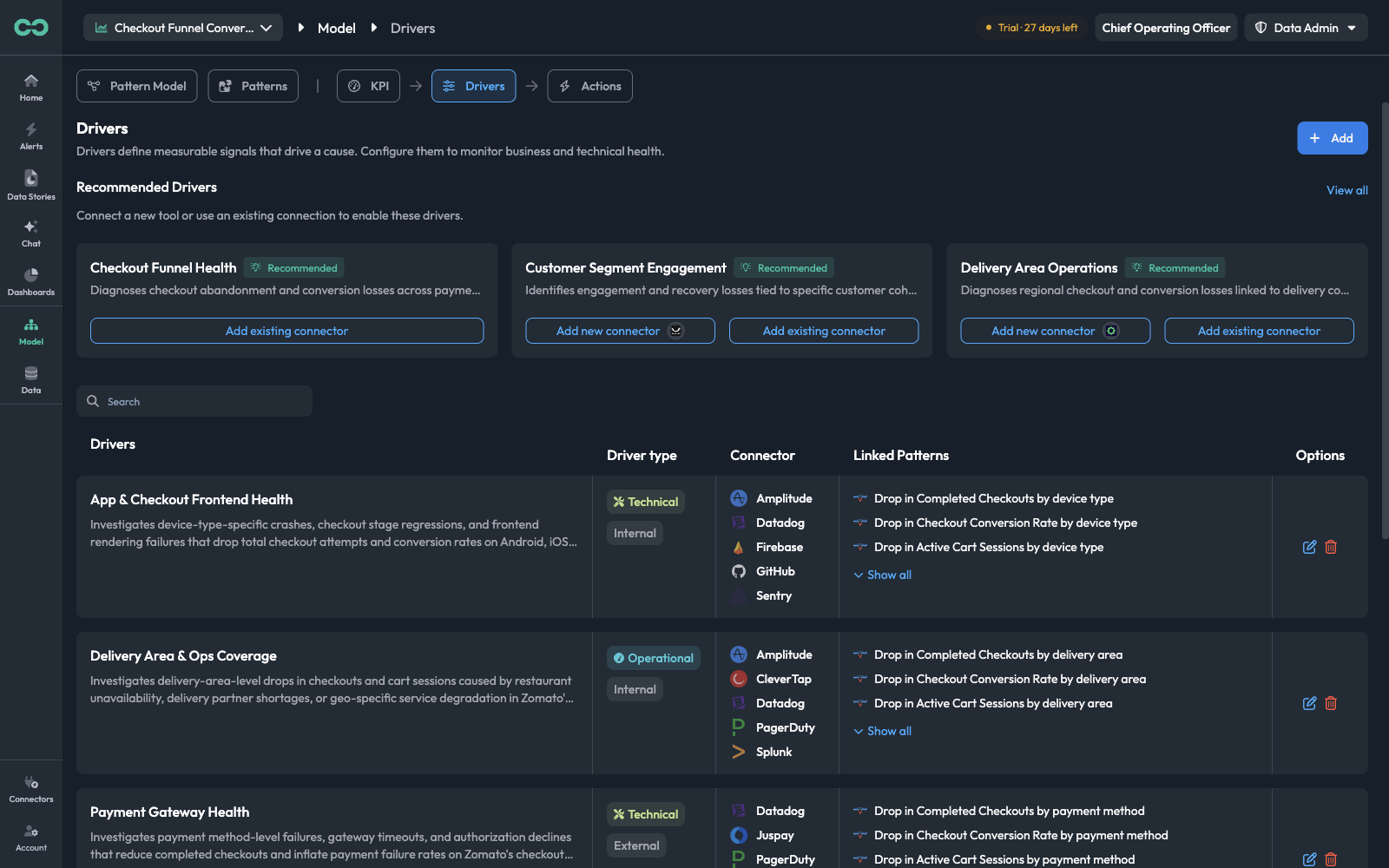
The list is scoped to the use case in the top-left picker. With All analytics agents selected there are no drivers to show — pick a use case to load its drivers.
Where a driver sits in the chain
Drivers are the middle link between detection and response. Each link is configured in its own place, and each points at the next.
A pattern detects
A pattern watching a KPI flags an out-of-band reading in some segment — Drop in Completed Checkouts by device type. See Pattern Engine.
A driver explains
Every driver linked to that pattern contributes its hypotheses. The investigation works through them, querying the driver's connectors for evidence, and reports which ones the data supports.
An action responds
The actions attached to the confirmed driver fire — a Slack alert, a Jira ticket, a paused campaign. See Actions.
The direction matters when you are wiring things up: actions belong to drivers, and drivers link to patterns. A pattern never carries an action directly. If you want a page on call when payments fail, you attach that action to the Payment Gateway Health driver and link that driver to the payment patterns — not to each pattern one at a time.
Core concepts
DriverA named cause, with a description of what it investigates. One driver covers one coherent area of failure — the payment gateway, the mobile app, the delivery network.
HypothesisOne candidate explanation inside a driver — "Android or iOS app crash on checkout screen after a recent app release". A driver holds several. They are written in the Look for Causes field.
Investigation stepOne check under a hypothesis: which connector to query, filtered how, over what window, and what result would confirm the hypothesis. See Look for Causes.
ConnectorA tool the driver may query for evidence — Sentry, Datadog, Amplitude, GitHub, PagerDuty. A driver can name several.
Linked patternA pattern this driver is a candidate explanation for. When that pattern detects something, this driver is among the causes considered.
Next stepAn action attached to the driver, fired when the driver is confirmed as the cause. See Actions.
Reading the Drivers list
Each row is one driver, with four columns:
| Column | What it tells you |
|---|---|
| Drivers | The name and the description of what it investigates |
| Driver type | Two labels: the kind of cause — Technical, Operational, or Business — and its scope, Internal or External |
| Connector | The tools this driver may query for evidence |
| Linked Patterns | The patterns it can explain, with Show all to expand a long list |
| Options | Edit the driver, or delete it |
The Linked Patterns column is the one worth scanning. A driver with no linked patterns will never run, however well written its hypotheses are — nothing will ever ask it for an explanation.
Technical / Operational / Business and Internal / External are shown read-only on the driver. They describe what kind of cause it is and whether the evidence comes from your own systems or from outside them; there is no field to set them in the driver form.
Recommended drivers
Above the list, Bicycle proposes drivers for this use case based on its KPIs and dimensions — Checkout Funnel Health, Customer Segment Engagement, Delivery Area Operations. View all opens the full set.
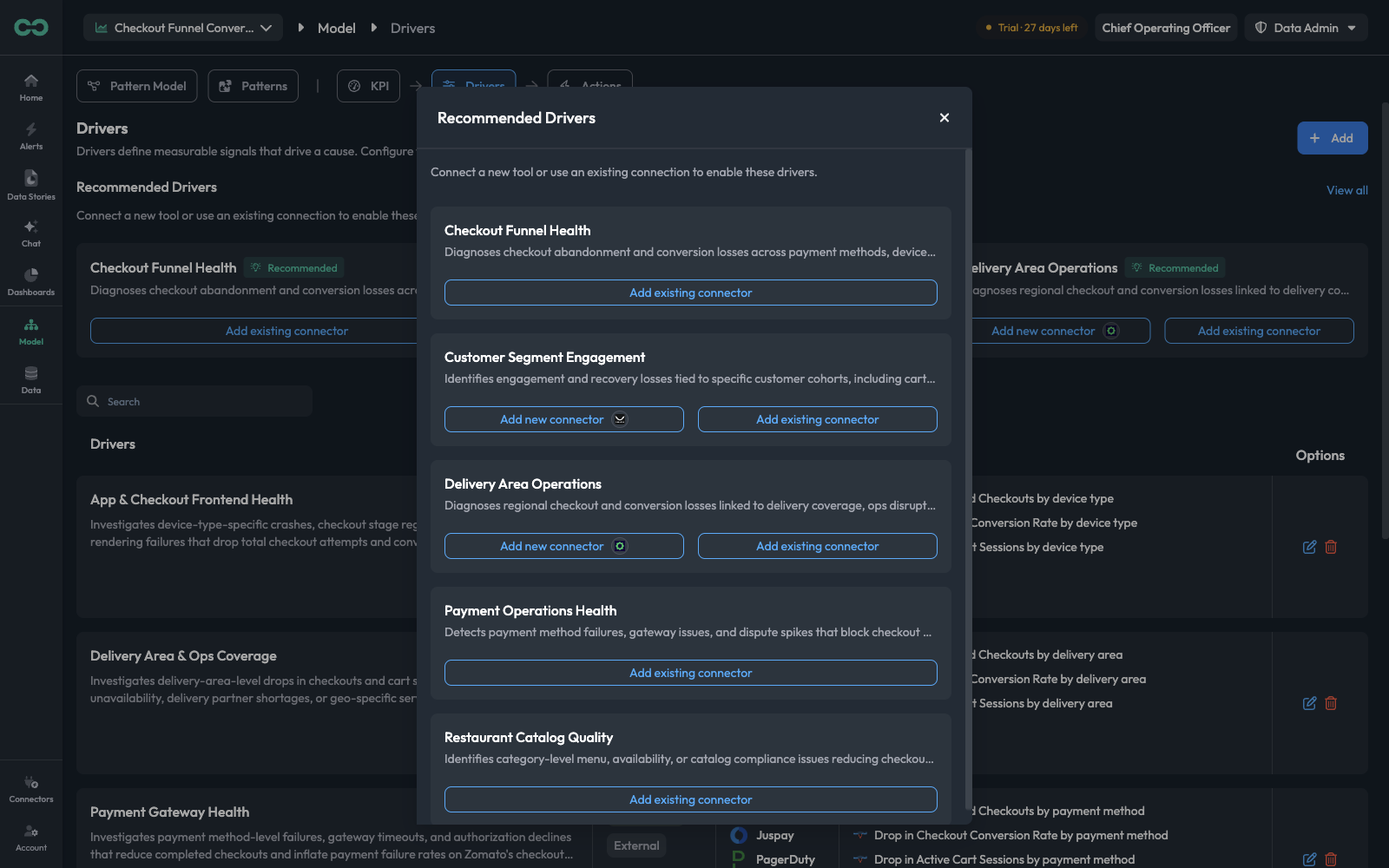
Each suggestion is gated on having a tool to investigate with, and offers one or both of:
| Button | What it means |
|---|---|
| Add existing connector | You already have a connection this driver can use — pick it and the driver is created |
| Add new connector | The driver wants a tool you have not connected yet, and the button leads to the setup for it |
Recommendations are a good starting point precisely because they are derived from your model: the hypotheses come pre-written against your actual KPIs and dimension names. Take one, then edit its Look for Causes to add what your team knows that Bicycle cannot infer.
Where to go next
- Create a driver — the driver form, field by field, including how to write hypotheses
- Actions — the responses a driver fires
- Pattern Engine → Explain & Act — linking drivers from the pattern side